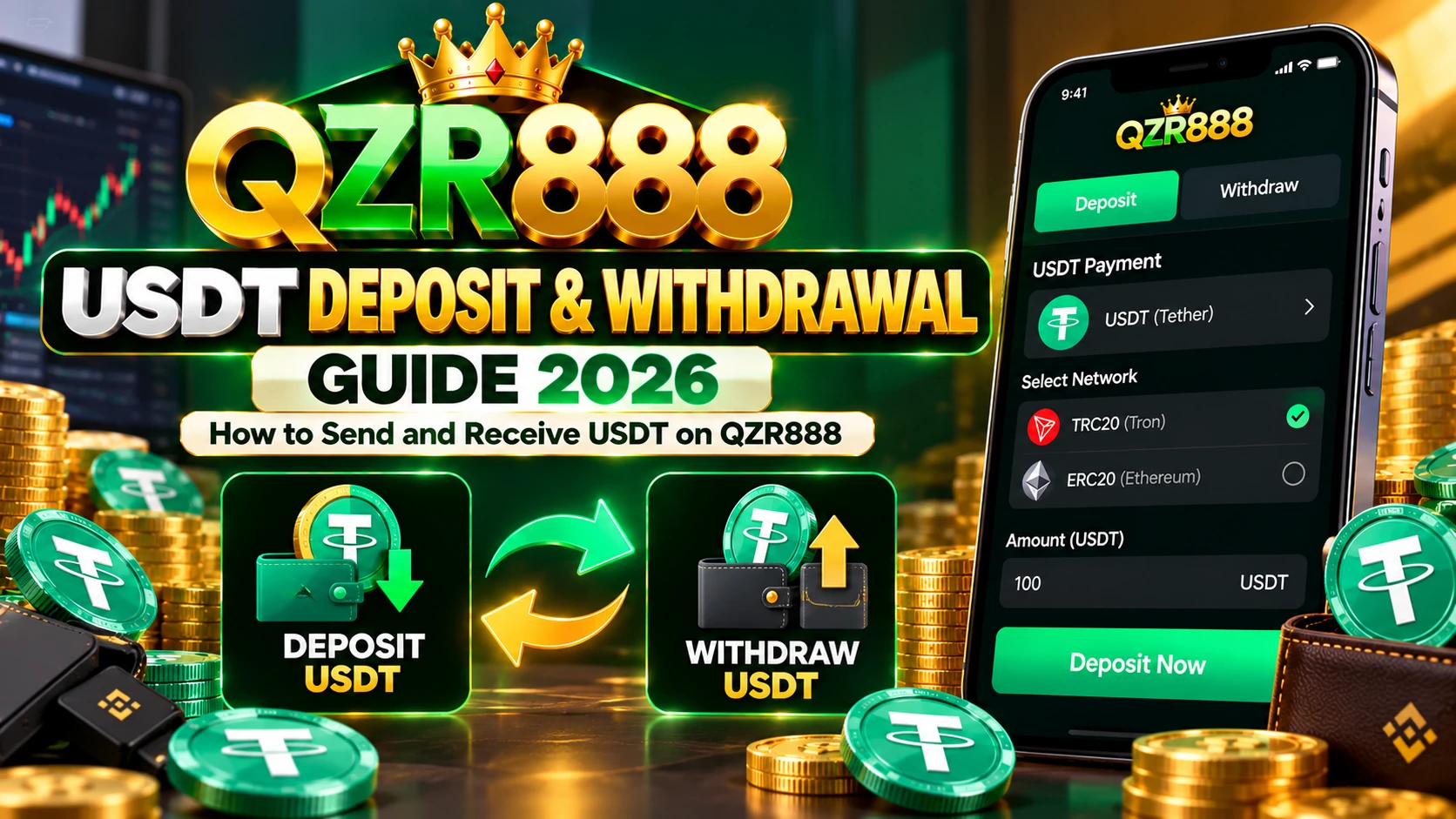
QZR888 USDT Deposit and Withdrawal Guide 2026: Send and Receive USDT
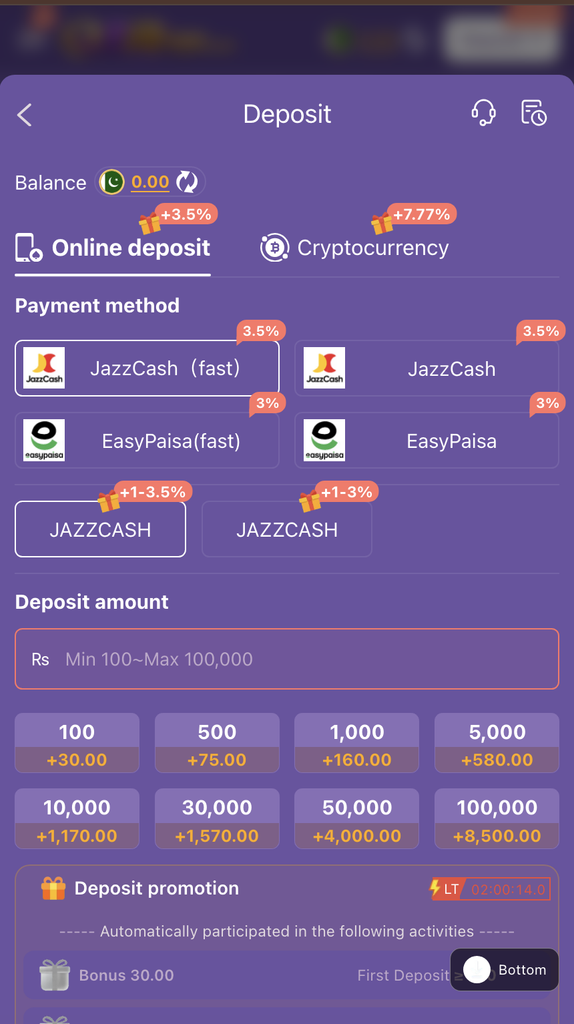
QZR888 USDT Deposit and Withdrawal. If you are using QZR888 in Pakistan, you may have noticed that Easypaisa, JazzCash, and bank transfer options are no longer available, and USDT is now the available payment method. If you are new to cryptocurrency, the process may look confusing at first, but understanding the basic steps can help you avoid common mistakes.
In this guide, we explain how to deposit USDT into your QZR888 account, how to request a USDT withdrawal, how to choose the correct network, and what to do if a transaction does not appear in your account.
Before making any transaction, always check the payment options and instructions displayed inside your own QZR888 account. Supported networks, transaction limits, and processing times can change.
What Is USDT?
USDT, also known as Tether, is a cryptocurrency designed to maintain a value close to one US dollar. It is commonly used to transfer digital dollars between compatible cryptocurrency wallets and exchanges.
Unlike a regular bank transfer, a USDT transaction takes place on a blockchain network. You need a compatible wallet or exchange account to send and receive it.
For example, some users hold USDT in an exchange account, while others keep it in a personal cryptocurrency wallet.
However, USDT is available on different blockchain networks. Choosing the wrong network can result in delayed deposits or lost funds, so checking the network is one of the most important steps.
What Do You Need Before Depositing USDT on QZR888?
Before starting a deposit, make sure you have the following:
- An active QZR888 account.
- Access to a cryptocurrency wallet or exchange that supports USDT.
- Sufficient USDT to cover the intended deposit and any applicable transaction fees.
- The correct deposit address provided by QZR888.
- The exact blockchain network supported by the QZR888 deposit page.
Do not assume that every USDT wallet uses the same network. For example, USDT on TRON, commonly called TRC20, is different from USDT on Ethereum, commonly called ERC20, for transfer purposes.
Always match the network selected on the sending platform with the network displayed by QZR888.

How to Deposit USDT on QZR888 Step by Step
Follow these general steps to make a USDT deposit.
Step 1: Log In to Your QZR888 Account
Open the QZR888 website or application you normally use and log in with your registered account details.
Make sure you are visiting the correct website before entering your password or opening the payment section.
Step 2: Open the Deposit Section
After logging in, open your account wallet or cashier section and select Deposit.
Choose USDT if it is listed as the available payment method.
The platform should display the deposit instructions required to send cryptocurrency to your account.
Step 3: Check the Supported Network
This step is extremely important.
Look for the blockchain network specified on the QZR888 deposit screen. It may be identified by a network name such as TRC20 or ERC20, depending on what the platform supports.
Do not select a network simply because its transaction fee is lower. The network on your sending wallet must match the network specified by QZR888.
If the network is not clearly displayed, contact the platform’s support team before transferring any funds.
Step 4: Copy the Deposit Address
QZR888 should display a cryptocurrency deposit address if USDT deposits are available.
Copy the address directly from the deposit screen. If a QR code is provided, you may be able to scan it with your wallet.
Check the first and last characters of the address after copying it. Do not use an address taken from an old screenshot, an unofficial website, or a message sent by an unknown person.
If the platform provides a deposit reference or additional instructions, follow them carefully.
Step 5: Open Your Crypto Wallet or Exchange
Open the wallet or exchange where you hold USDT.
Select USDT, choose the Send or Withdraw option, and enter the QZR888 deposit address.
Next, select the same blockchain network shown on the QZR888 deposit page.
For example, if QZR888 specifies USDT on the TRON network, your sending platform must support sending USDT through that same network.
Step 6: Enter the Amount
Enter the amount of USDT you want to transfer.
Before confirming, review the transaction details, including:
- The destination address.
- The selected network.
- The amount of USDT.
- The transaction fee.
- The final amount that will be sent.
Make sure the amount meets the current deposit requirements displayed by QZR888.
If you are new to cryptocurrency transfers, consider whether a small test transaction is practical before sending a larger amount. Keep in mind that network fees may apply to each transaction.
Step 7: Confirm the Transaction
Once you have checked all the details, confirm the transfer through your wallet or exchange.
Depending on the sending platform, you may need to complete an additional security verification.
After submission, your wallet or exchange should provide a transaction ID, also called a transaction hash or TXID.
Keep this information until the deposit has been credited.
Step 8: Check Your QZR888 Balance
After the transaction has been processed by the blockchain and the platform has completed its required checks, check your QZR888 account balance.
The deposit may not appear immediately. Processing can depend on the blockchain network, confirmation requirements, and the platform’s own crediting process.
If the deposit is delayed, do not immediately send the same amount again. First check the transaction status and contact support if necessary.

How to Withdraw USDT From QZR888
If USDT is the available withdrawal method in your account, follow these general steps to request a withdrawal.
Step 1: Log In to QZR888
Open the correct QZR888 website or application and log in to your account.
Check your available balance before starting the withdrawal process.
Step 2: Open the Withdrawal Section
Go to your account wallet or cashier section and select Withdraw.
Choose USDT as the withdrawal method if it is available.
Read the instructions displayed on the withdrawal screen before continuing.
Step 3: Select the Correct Network
Check which blockchain network QZR888 uses for USDT withdrawals.
The network must be compatible with the receiving wallet or exchange. Do not assume the withdrawal network is the same as a network you used previously.
If you are sending USDT to an exchange, open that exchange’s deposit section, select USDT, and check the supported network before copying the receiving address.
Step 4: Enter Your Receiving Wallet Address
Copy your receiving USDT address from your wallet or exchange and enter it into the QZR888 withdrawal form.
Check the address carefully before submitting the request.
If the receiving service provides a deposit address for a particular network, use that address with the matching network only.
Some services may also require a memo or tag for certain assets or networks. Follow the receiving service’s instructions if an additional field is shown.
Step 5: Enter the Withdrawal Amount
Enter the amount of USDT you want to withdraw.
Before submitting the request, check the minimum and maximum withdrawal limits shown in your account.
Also review any withdrawal fees and the amount expected to arrive in your receiving wallet.
Do not rely on minimum amounts or fee figures published on old third-party websites because these details can change.
Step 6: Review and Confirm
Check all the information one more time:
- Receiving wallet address.
- Blockchain network.
- Withdrawal amount.
- Transaction fee, if applicable.
- Final amount you expect to receive.
If everything is correct, submit the withdrawal request.
The platform may ask for additional account verification before processing the transaction.
Step 7: Track Your Withdrawal
Check the withdrawal status in your QZR888 account.
If a transaction ID becomes available, save it so you can track the transaction using the relevant blockchain explorer.
Once the transaction has been sent and confirmed, check your receiving wallet or exchange for the incoming USDT.
Remember that a completed request inside a platform and a confirmed blockchain transaction are not necessarily the same thing. Check the transaction status before assuming that funds have arrived.
Which USDT Network Should You Use on QZR888?
There is no single network that should be selected for every transaction. You must use the network explicitly supported by QZR888 and the receiving wallet.
Two common USDT network labels are:
USDT TRC20: USDT transferred through the TRON blockchain.
USDT ERC20: USDT transferred through the Ethereum blockchain.
USDT is also supported on other networks. Availability depends on the services involved.
The important rule is simple: the sending network and receiving network must match.
If QZR888 shows one network and your wallet only supports another, do not proceed with the transfer. Check with the relevant support team first.
What If Your QZR888 USDT Deposit Is Not Showing?
Sometimes a deposit may not appear in your account straight away.
Possible reasons include:
- The blockchain transaction is still pending.
- The platform is waiting for the required confirmations.
- The wrong network was selected.
- The amount does not meet the platform’s deposit requirements.
- The transaction details were entered incorrectly.
- The platform has not completed its internal processing.
Here is what you should do.
First, open your sending wallet or exchange and check the transaction status. If a transaction ID is available, use the appropriate blockchain explorer to review its status.
If the transaction is confirmed but your QZR888 balance has not updated, contact QZR888 support through a channel you can verify.
Provide the transaction ID, amount, network, and approximate transaction time. Never share your wallet’s recovery phrase or private key.
What If Your QZR888 USDT Withdrawal Is Pending?
A pending withdrawal does not automatically mean that your funds are lost.
Check the withdrawal status inside your QZR888 account first. The request may still be undergoing processing or account verification.
If a transaction ID has not been issued, ask the platform’s support team about the request status.
If a transaction ID is available, check it on the relevant blockchain explorer. This can help you determine whether the transaction has been broadcast and confirmed.
Avoid submitting repeated withdrawal requests while the original request is still pending.
Common Mistakes to Avoid When Using USDT
Selecting the Wrong Network
This is one of the most important risks to understand. Always match the network on both sides of the transaction.
Copying an Incorrect Address
A cryptocurrency address must be entered correctly. Verify it before confirming the transfer.
Ignoring Transaction Fees
The sending wallet or exchange may charge a network fee. Check the final amount before approving the transaction.
Sending Below the Minimum Amount
Check the current deposit or withdrawal limit displayed by QZR888. A transfer below the required amount may not be credited automatically.
Trusting Unofficial Support Accounts
Do not send funds to a wallet address supplied through an unverified social media account or private message.
Sharing Private Keys or Recovery Phrases
Legitimate transaction troubleshooting should not require you to disclose your wallet’s private key or recovery phrase. Keep these details private.
Is USDT Transfer Reversible?
Most confirmed cryptocurrency transfers cannot simply be cancelled or reversed like some traditional payment transactions.
If you send USDT to the wrong address or use an unsupported network, recovering the funds may be difficult or impossible.
This is why you should always check the destination address, network, amount, and fees before confirming a transaction.
Frequently Asked Questions
Does QZR888 currently support Easypaisa or JazzCash?
Payment options can change. If Easypaisa and JazzCash are no longer listed in your QZR888 account, follow the current payment instructions shown inside the account instead of relying on older guides.
How do I deposit USDT into QZR888?
Log in, open the deposit section, select USDT, copy the displayed deposit address, and send USDT from a compatible wallet using the exact network specified by QZR888.
How do I withdraw USDT from QZR888?
Open the withdrawal section, select USDT, enter your receiving wallet address, choose the supported network, check the amount and fees, and submit the request.
Can I use Binance to deposit or receive USDT?
You can use an exchange only if it supports the required USDT network and the transfer is permitted under its current rules. Check the network displayed by QZR888 against the network selected in the exchange before sending.
How long does a USDT transaction take?
The time depends on the blockchain network, network conditions, required confirmations, and the platform’s processing. Check the current transaction status rather than relying on a guaranteed timeframe.
What should I do if I send USDT through the wrong network?
Contact the receiving platform’s official support team and provide the transaction details. Recovery is not guaranteed, so always verify the network before transferring funds.
Are USDT deposits and withdrawals free?
Do not assume that they are free. Your wallet or exchange may charge a network fee, and QZR888 may have its own transaction conditions. Review the fee information before confirming.
Final Thoughts
USDT is a cryptocurrency payment method that requires a little more care than a regular mobile wallet transfer. Once you understand how addresses, networks, and transaction IDs work, the basic deposit and withdrawal steps become easier to follow.
For QZR888 users in Pakistan, always check the current instructions inside your account before sending or withdrawing USDT. Use the correct network, verify the address, review the fees, and keep your transaction ID for reference.
Visit qzr888.online for more QZR888 guides covering account access, games, features, and platform updates.
Important: Cryptocurrency transactions carry the risk of permanent loss if details are incorrect. Online gaming involving money also carries a risk of financial loss. Do not deposit money you cannot afford to lose, and check the laws and rules applicable to you before using such services.
QZR888 Game Guides and Resources
Explore our guides covering QZR888, APK safety, app features, payment information, game reviews, and online gaming in Pakistan. Each article focuses on a specific topic to help readers find the information they need.
Casino Games Guide for Beginners
Learn about casino game categories, basic terminology, and important risks to understand before playing.
Read the Beginner’s GuideQZR888 Game APK Platform Overview
Explore an overview of the QZR888 platform, its available information, and key points to check before using an APK.
Read the Platform GuideQZR888 Casino Guide and Safety Tips 2026
Review practical safety considerations, account security, and financial risks associated with online gaming.
Read the Safety GuideQZR888 Game Guide 2026
Find general information about QZR888, app requirements, account access, and checks to make before use.
Read the 2026 GuideQZR888 USDT Deposit and Withdrawal Guide
Understand which transaction details, network fees, wallet addresses, and withdrawal conditions to verify.
Read the USDT GuideQZR888 Withdrawal Methods in Pakistan
Learn what to verify about payment options, transaction fees, withdrawal limits, and processing conditions.
Read the Withdrawal GuideQZR888 Game Features
Explore the features attributed to QZR888 and learn how to distinguish verified details from unconfirmed claims.
Explore Game FeaturesQZR888 Game Review
Review the available information about the platform, including usability, security, transparency, and potential risks.
Read the Game ReviewWhy Is QZR888 Trending in Pakistan?
Explore possible reasons for interest in QZR888 and what readers should verify when evaluating online claims.
Read the Pakistan OverviewIs QZR888 Game Real or Fake?
Learn how to investigate a platform’s identity, ownership, online claims, and available evidence before trusting it.
Read the Verification GuideHow to Download QZR888 Safely
Check APK sources, Android permissions, file integrity, compatibility, and warning signs before installing an app.
Read the Download Safety GuideQZR888 Game Pakistan: Complete Guide
Explore general information about QZR888 for readers in Pakistan, including safety checks and considerations before use.
Read the Complete GuideThese articles provide informational content. Verify service details, payment terms, and applicable laws through reliable sources before making decisions involving money or personal information.
Explore Related APKTerra Application Guides
For readers comparing Android gaming applications, the following APKTerra resources provide useful starting points. Review the available application details, version information, installation requirements, and safety considerations before downloading any APK.
-
HeyBaji APK
Explore our HeyBaji APK download guide for related Android application information. Users searching for hey baji apk, heybaji apk download, hey baji app download apk, heybaji app download apk, or heybaji apk latest version should verify the application’s source, version, and compatibility before installing it.
-
PK8888 Game APK
Visit our PK8888 Game APK guide to explore the related application information. Before downloading PK8888, check the file source, version details, publisher information, and requested permissions.
-
PK16 Game APK
Read our PK16 game APK guide for more information about this platform. Review the available version details and installation requirements before proceeding with a download.
-
88DD Game
Explore our 88DD game guide for related application information. Check the source, compatibility, and relevant terms instead of relying solely on promotional claims.
-
188PK Game APK
Visit the 188PK game APK guide to find related information about the platform. Verify the publisher and application details before installing a file from a third-party source.
-
APKTerra.com
Visit the APKTerra.com to find related information about the platform. Verify the publisher and application details before installing a file from a third-party source.